Check ads.txt compliance
Find out whether a website publishes ads.txt, or an app publishes app-ads.txt, for one property or a whole list.
ads.txt is a public file in which a website lists the companies authorized to sell its ad inventory. app-ads.txt does the same for mobile and CTV apps. Both come from the IAB Tech Lab and help stop bad actors from selling inventory they don’t own. The Media Ratings Terminal (MRT) shows whether each property publishes the file, so you can make sure the supply you buy supports it.
Check one domain or app
Search for it
Enter the domain (without www., http:// or https://) or the app ID in the search bar. Make sure you’re looking at Domains results for a website, or Mobile or CTV results for an app.
Read the status
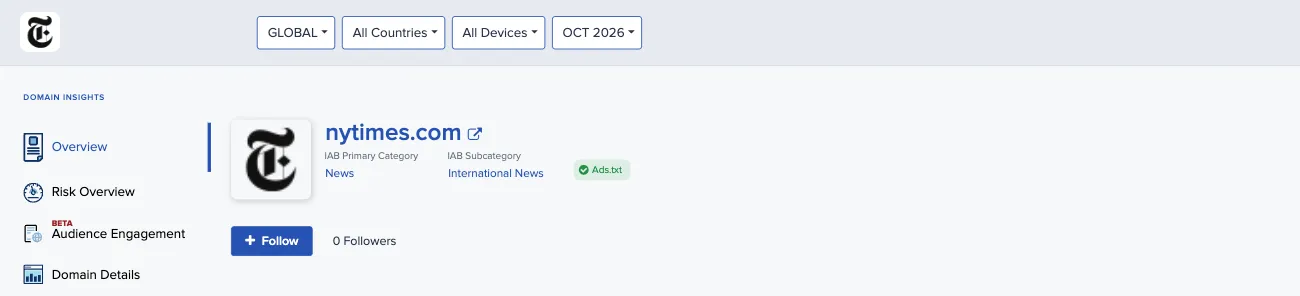
For a domain, an Ads.txt badge appears next to the domain name when Pixalate found an ads.txt file for the domain. The Pixalate advisories in the risk overview also show Ads.txt as yes or no. For an app, the App-ads.txt flag at the top of the report and the Pixalate advisories show whether app-ads.txt was detected.
Check a list you upload
When you upload a list, the results include an ads.txt column for domains and an app-ads.txt column for apps.
- Use the ads.txt or app-ads.txt filter to show only compliant (or only non-compliant) properties.
- To get the status in a file, include the Ads.txt or App-Ads.Txt field when you choose the columns to download.
Filter in Discovery
In Discovery, the filters include Ads.txt (in the Risk group on Domains) and App-ads.txt on Mobile. Use them to keep only properties that publish the file when you build a list. The CSV export has a column for the status:
The search results also have an App-ads.txt Detected filter.
Related
- Find properties by owner: use the
ownerdomainentry in ads.txt and app-ads.txt. - Build exclusion and inclusion lists: use ads.txt status as one of your list criteria.
- Seller Trust Index (STI): rankings of the sellers listed in ads.txt and app-ads.txt.
Questions? Email support@pixalate.com.