Read an Insights report
An Insights report is the Media Ratings Terminal (MRT) page for a single app or domain. It brings together Pixalate’s overall risk rating, invalid traffic (IVT), viewability, brand safety, privacy and COPPA signals, made-for-advertising (MFA) risk and seller data, and lets you view them by region and country.
For the definition of any metric, hover over its info icon in the MRT or see the Glossary.
Video (2 min): read an app Insights report, on a CTV app and a mobile app.
Open a report
Search
Enter the app title, app or bundle ID, or domain in the search bar. For domains, leave out www., http:// and https://.
Change the view

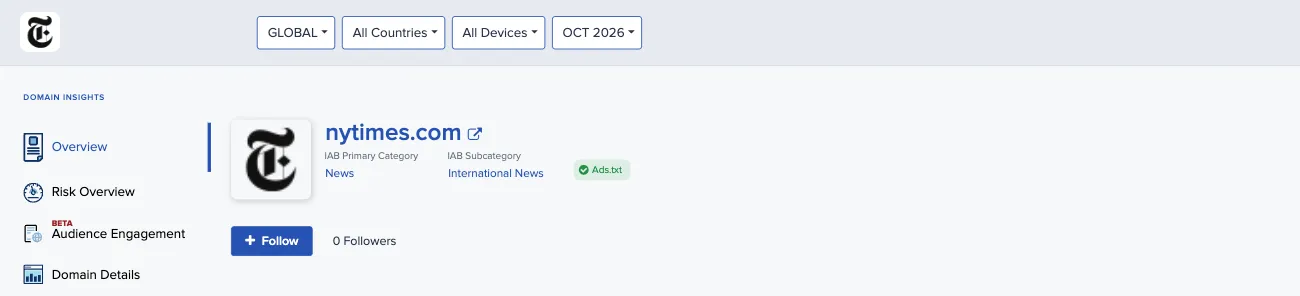
The selectors at the top of an app report are:
The date of the latest data update and a View change log link appear at the top right.
Mobile app and CTV app reports
Mobile app and CTV app reports share most sections. CTV app reports add sections that mobile app reports don’t have: App Spoofing and Channels. Mobile app reports have some that CTV app reports don’t, such as SDK Details, App Permission Risk and Viewability.
Overview

The app’s name, a link to its app store listing, and its main details. A row of flags at the top summarizes key signals, such as COPPA audience, privacy policy, app-ads.txt and app store status.
Risk overview
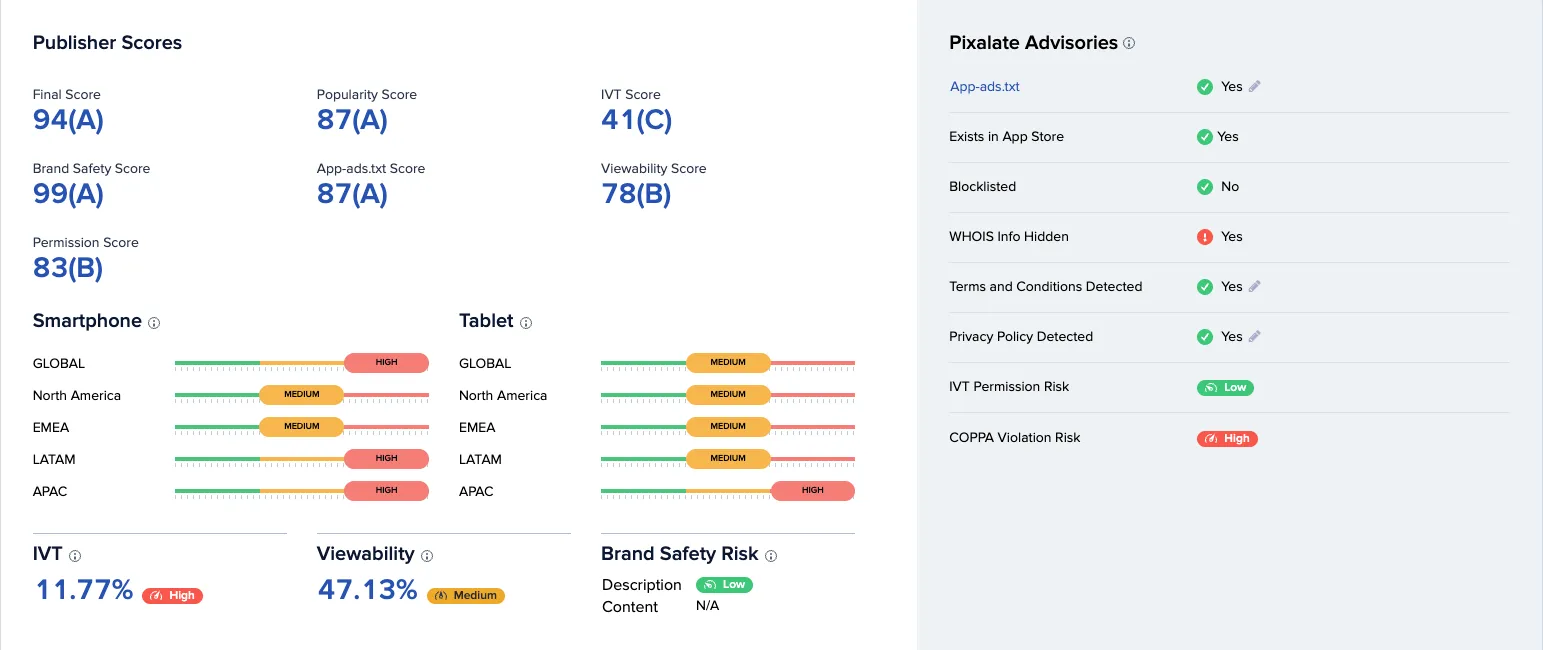
On app reports, Risk Overview starts with Publisher Scores: a Final Score and component scores, each with a letter grade. On mobile app reports the components are popularity, IVT, brand safety, app-ads.txt, viewability and permissions. On CTV app reports they’re popularity, IVT, ad density and engagement, and Risk Overview also shows Est. SSAI and Est. Transparent SSAI in place of viewability.
Pixalate’s overall advertising risk rating for the app, based on blended risk factors including brand safety, invalid traffic and ad inventory. It shows the risk level for each device type and region, and:
- Brand safety risk, in two parts. Description is the brand safety risk based on text analysis of the app’s store description. Content combines all brand safety risk factors, based on both the description and analysis of the app’s content.
- IVT: the share of advertising transactions for the app that is invalid traffic. IVT is calculated from the standard definitions of invalid traffic maintained by the Media Rating Council (MRC), the Interactive Advertising Bureau (IAB) and the Trustworthy Accountability Group (TAG). For the IVT types Pixalate reports, see the IVT taxonomy.
- Viewability: the average viewability across all display ad placements in the app, using the MRC and IAB definition of a viewable display impression (at least 50% of the ad’s pixels on screen for at least one continuous second).
- Pixalate advisories: yes-or-no checks such as app-ads.txt, whether the app exists in its store, whether it’s on a Pixalate block list, and whether a privacy policy and terms and conditions were detected.
Other sections
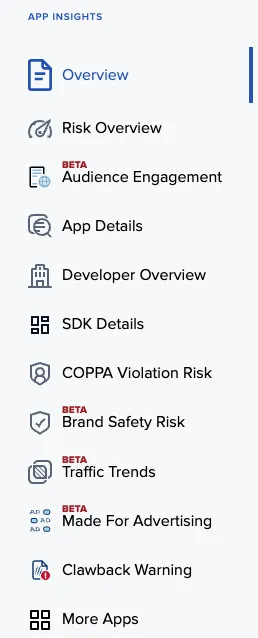
Some sections are labeled Beta in the MRT. Which sections you see can depend on your account.
Domain reports
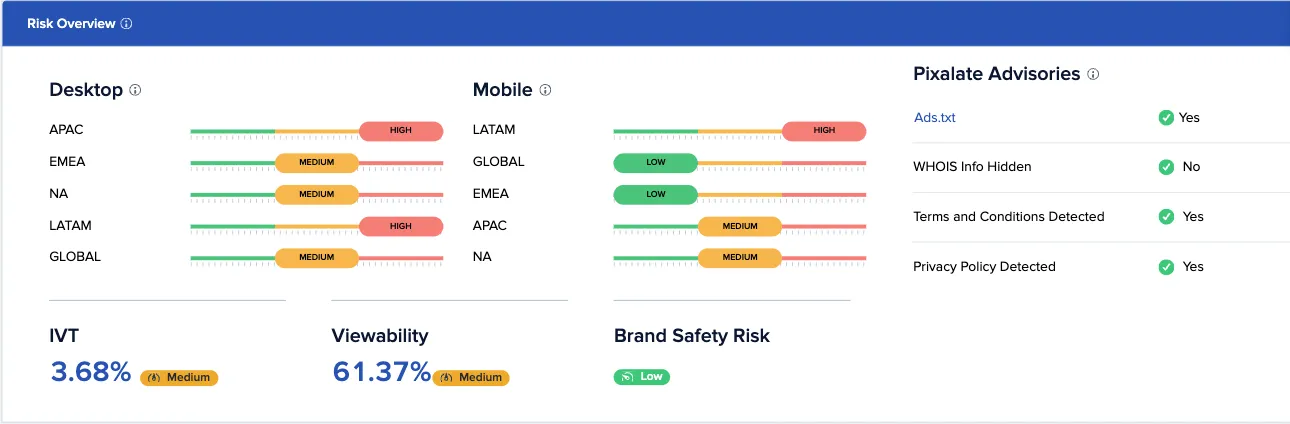
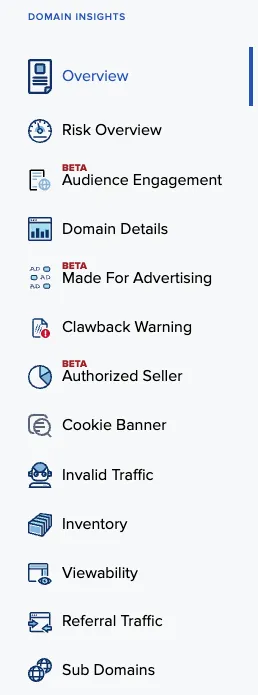
Domain reports have their own set of sections.
Clawback warning
The Clawback Warning section (listed as Clawback Warning in the section menu) shows the months in which the property appeared in a clawback report, over a rolling 12-month window.
- Each month shows the number of clawback reports that month.
- Months affected shows how many of the 12 months had at least one report.
- Most recent shows the latest month with a report.
The reporting party isn’t shown. Counts include clawback reports generated by Pixalate clients and reports submitted from outside Pixalate. To run clawback reports on your own traffic, see Clawback report.
Bundle IDs that aren’t listed on an app store
The MRT also has Insights reports for mobile bundle IDs that aren’t listed on Google Play or the Apple App Store. These can be valid bundle IDs from app stores the MRT doesn’t support, such as the Xiaomi or Oppo stores, or spoofed bundle IDs. They still carry ad traffic and IVT data, so you can search for and view them, but only by their exact bundle ID (see Search).
On these reports:
- A banner at the top says the bundle ID isn’t listed on Google Play or the Apple App Store, and that the data reflects Pixalate’s ad traffic measurement only.
- Sections and data points that depend on app store metadata or Pixalate risk ratings aren’t available.
Related
- Discovery: find and filter many properties at once.
- Find properties by owner: use the owner domain shown in a report.
- Enrichment API: get the same data from code.
Questions? Email support@pixalate.com.