Find properties by owner
One business often owns many websites, CTV apps or mobile apps, and it gets paid across all of them. Knowing that owner matters for supply path optimization (SPO): you might want to block, or target, everything a particular business owns.
The IAB Tech Lab’s ads.txt standard added the ownerdomain entry in 2022 for this purpose. It’s the business domain of the owner of the site or app being monetized. For example, if one company owns several sites, each site’s ads.txt file can name that company’s domain (say, example.com) as its ownerdomain. Pixalate crawls millions of ads.txt and app-ads.txt files and shows this owner domain in the Media Ratings Terminal (MRT).
With it you can:
- See who owns a specific website or app.
- List every website, CTV app or mobile app with the same owner, to block or target them together.
Step 1: Find the owner domain

If you already know the owner’s domain, skip to step 2.
Open the property's Insights report
Search for the website or app in the search bar and open its Insights report.
Step 2: List everything with that owner
Open Discovery
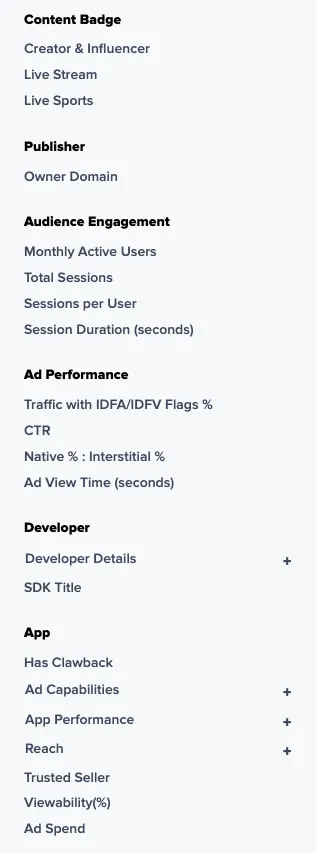
Select Discovery, then choose Connected TV, Mobile or Domains. The Owner Domain filter is available in all three.
Set device and region
Choose All Devices and the Global region to get one row per property. See Set device and region.
Step 3: Use the list
Download the results as a CSV and use it as an exclusion or inclusion list. See Build exclusion and inclusion lists. The CSV export includes an Owner Domain column for every channel, and the websites export also has a Family Of Sites column with the number of related properties that share the owner domain.
Only properties whose ads.txt or app-ads.txt file declares an ownerdomain can be matched this way.
Related
Questions? Email support@pixalate.com.